
Django N+1 Query Detection: Test and Fix ORM Fan-Out
Find Django N+1 queries with query-count tests and request traces. Fix lazy relation loads with select_related or prefetch_related.
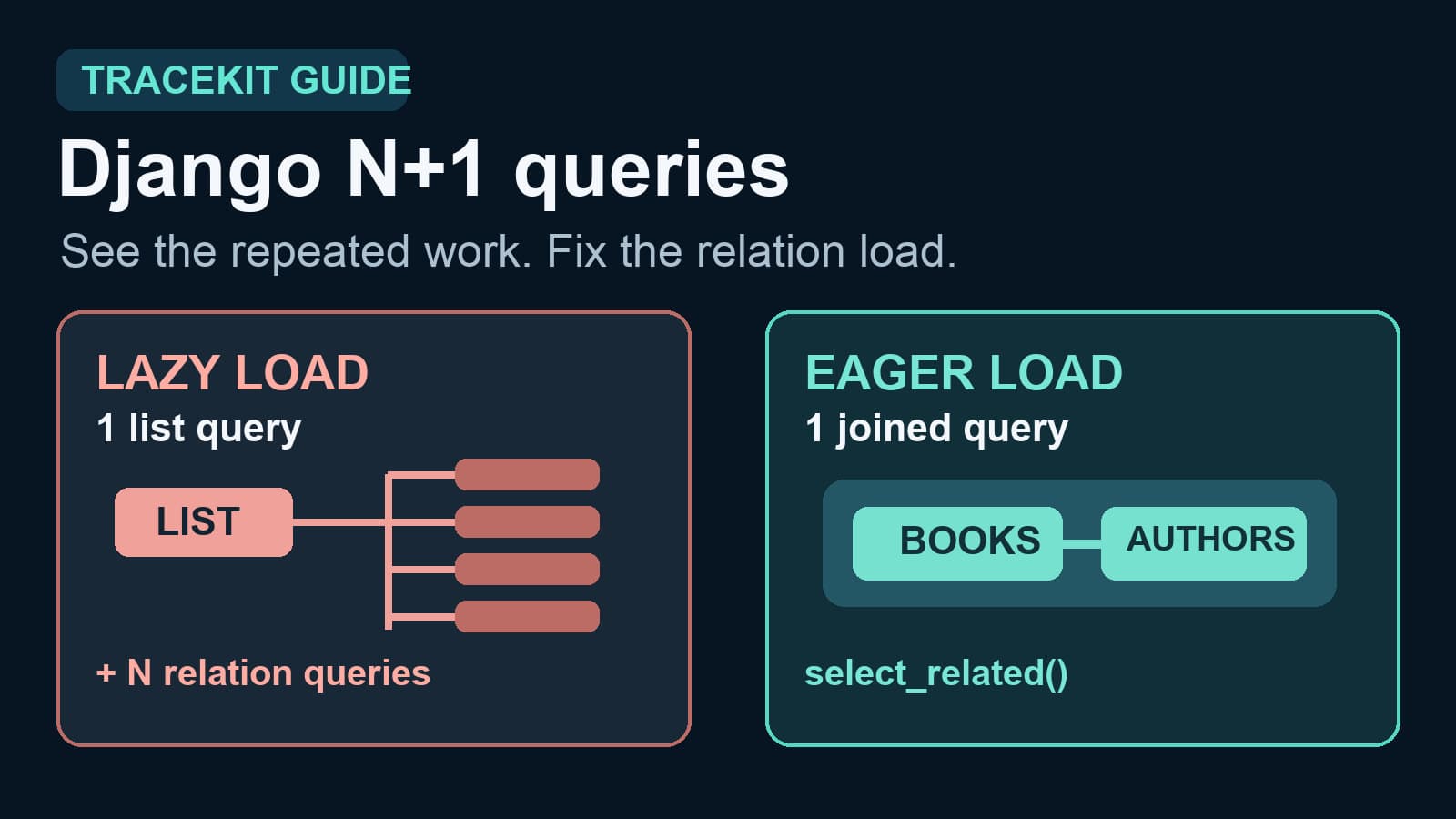
A Django N+1 query happens when one query loads a list, then one more query loads a relation for each item. A page with 50 books can run one book query and 50 author queries. That pattern can make a list view slower as the list grows.
To detect it, compare the database query count for a small and a large list. Then find the relation that loads inside a loop, template, or serializer. Use select_related() for a single related object. Use prefetch_related() for a collection. Finally, test the query count and check a real request after release.
See the query fan-out
Assume each Book has an author foreign key. This code can load an author once per book:
books = Book.objects.all()
rows = [
    (book.title, book.author.name)
    for book in books
]
The first query loads books. Accessing book.author can cause another query for each book. Django evaluates querysets when code iterates over them. It also loads related objects on demand unless you ask it to load them first.
| List size | Query pattern without eager loading | What to check |
|---|---|---|
| 5 books | One list query plus up to five author lookups | Repeated author queries |
| 50 books | One list query plus up to 50 author lookups | Query count grows with list size |
These counts assume the relation has not already been cached. The test is the growth pattern, not a fixed count for every Django app. A template or Django REST Framework serializer can trigger the same access after the view returns its queryset.
Count queries in a test
Django's assertNumQueries() checks the actual queries executed inside a test block. It helps prevent a known list view from regressing.
from django.test import TestCase

from .models import Author, Book


class BookListQueryTests(TestCase):
    @classmethod
    def setUpTestData(cls):
        author = Author.objects.create(name="Ada")
        Book.objects.bulk_create(
            [Book(title=f"Book {number}", author=author) for number in range(20)]
        )

    def test_author_names_use_one_query(self):
        with self.assertNumQueries(1):
            rows = [
                (book.title, book.author.name)
                for book in Book.objects.select_related("author")
            ]
        self.assertEqual(len(rows), 20)
This test expects one query because select_related("author") joins each book to its single author. It catches a later change that removes that eager load. Add a second fixture size when you want to prove that query count stays stable as the list grows.
Count the work where it runs. If a template loads relations during rendering, include template rendering inside the test block. If a serializer loads them, include serialization. Counting only the view's queryset construction can miss the extra queries because querysets are lazy.
Choose the fix for the relation
The relation type determines the first fix:
| Relation access | Django method | Usual query shape |
|---|---|---|
book.author through a foreign key | select_related("author") | One query with a join |
author.books.all() through a reverse relation | prefetch_related("books") | One author query and one book query |
| A many-to-many collection | prefetch_related("tags") | Separate queries joined in Python |
Django documents this difference in its QuerySet reference. select_related() supports single-valued relations. prefetch_related() collects related rows in a separate query and matches them in Python.
For a reverse relation, the code can look like this when the Book.author field uses related_name="books":
authors = Author.objects.prefetch_related("books")
rows = [
    (author.name, [book.title for book in author.books.all()])
    for author in authors
]
Expect the relation prefetch to add one batch query for this simple case. Check the real query count with your model and filters. A later call such as author.books.filter(published=True) makes a new query; it does not reuse the cached books.all() result. Django documents that cache limit.
Do not add every possible relation to a queryset. Large joins can return more data than the page needs. Prefetching also loads related objects into memory. Profile the actual page before and after each change, as Django's database optimization guide recommends.
Find the production request that matters
A query-count test proves one code path. Production traces help you find which route and input size caused a real slowdown. Look for one request span with repeated database child spans. Compare similar requests with different list sizes, or compare the same route before and after a release.
Tracekit's Django middleware creates request spans. It does not create a span for every Django ORM query by itself. Database child spans need compatible database instrumentation. Confirm that the spans exist before you use a trace to judge query count. An empty database branch can mean missing instrumentation or sampling, not zero queries.
If you have database spans, inspect the repeated query operation and the route that owns them in distributed tracing. Keep raw SQL values and customer data out of span attributes unless your data policy allows them. Use a bounded dynamic log capture point only when a trace identifies the path but a runtime condition remains unclear.
For a general cross-framework method, see the N+1 query detection guide. For broader request, dependency, and alert checks, use the Django observability checklist.
Verify the fix
- Run the same route or serializer with a small and a large fixture.
- Confirm that its query count stays close to a fixed number.
- Check the page output, not only the query count.
- Measure response time with representative data.
- Compare production request traces when database spans are available.
The right fix removes the repeated relation lookup and keeps the page correct. A single fast request is not enough evidence. Repeat the check with the list size that exposed the problem.
Related Posts
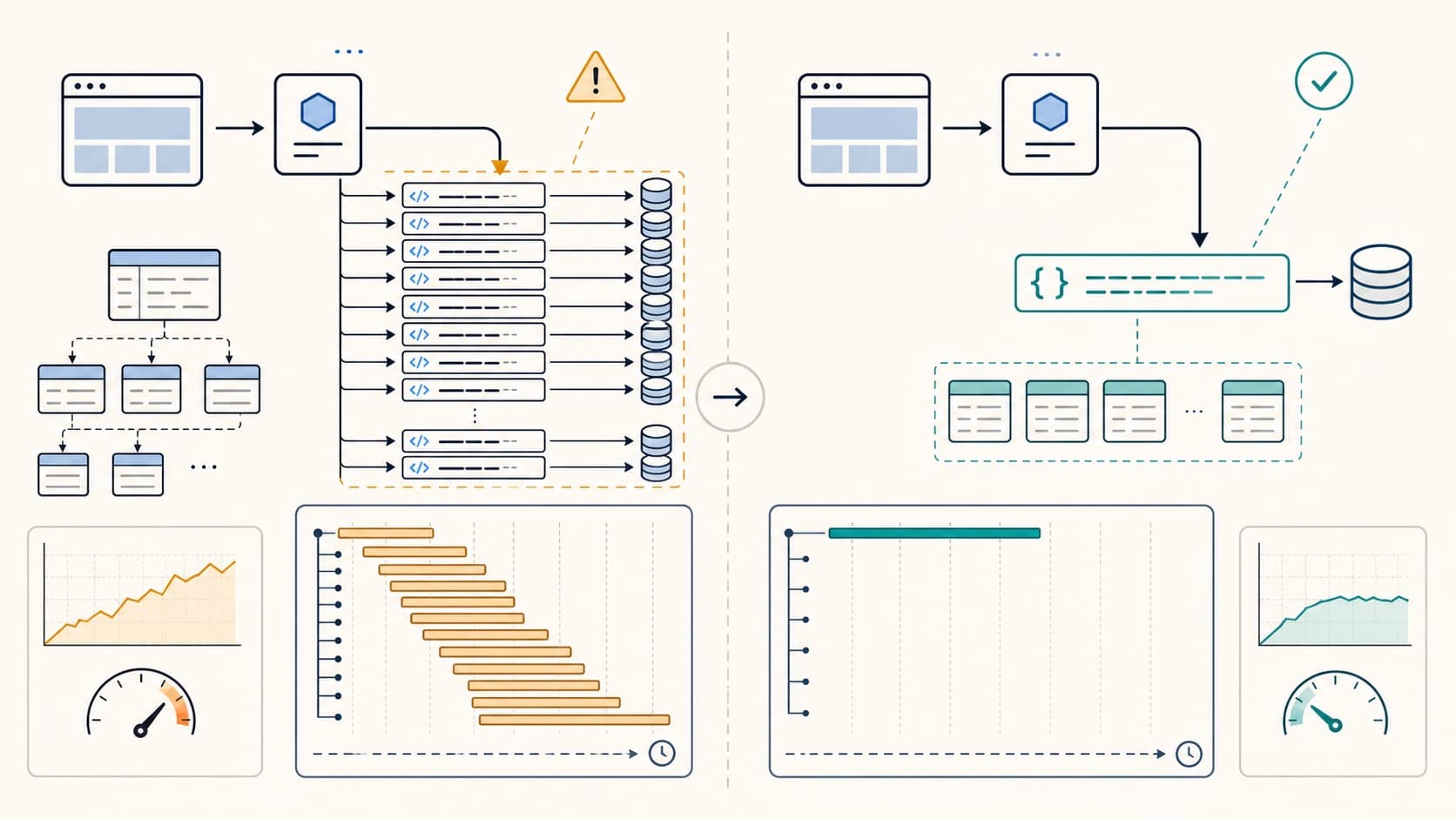
N+1 Query Detection: Find and Fix Regressions
Detect N+1 queries with query counts and traces. Find repeated database calls, fix ORM loading, and verify the result in production.
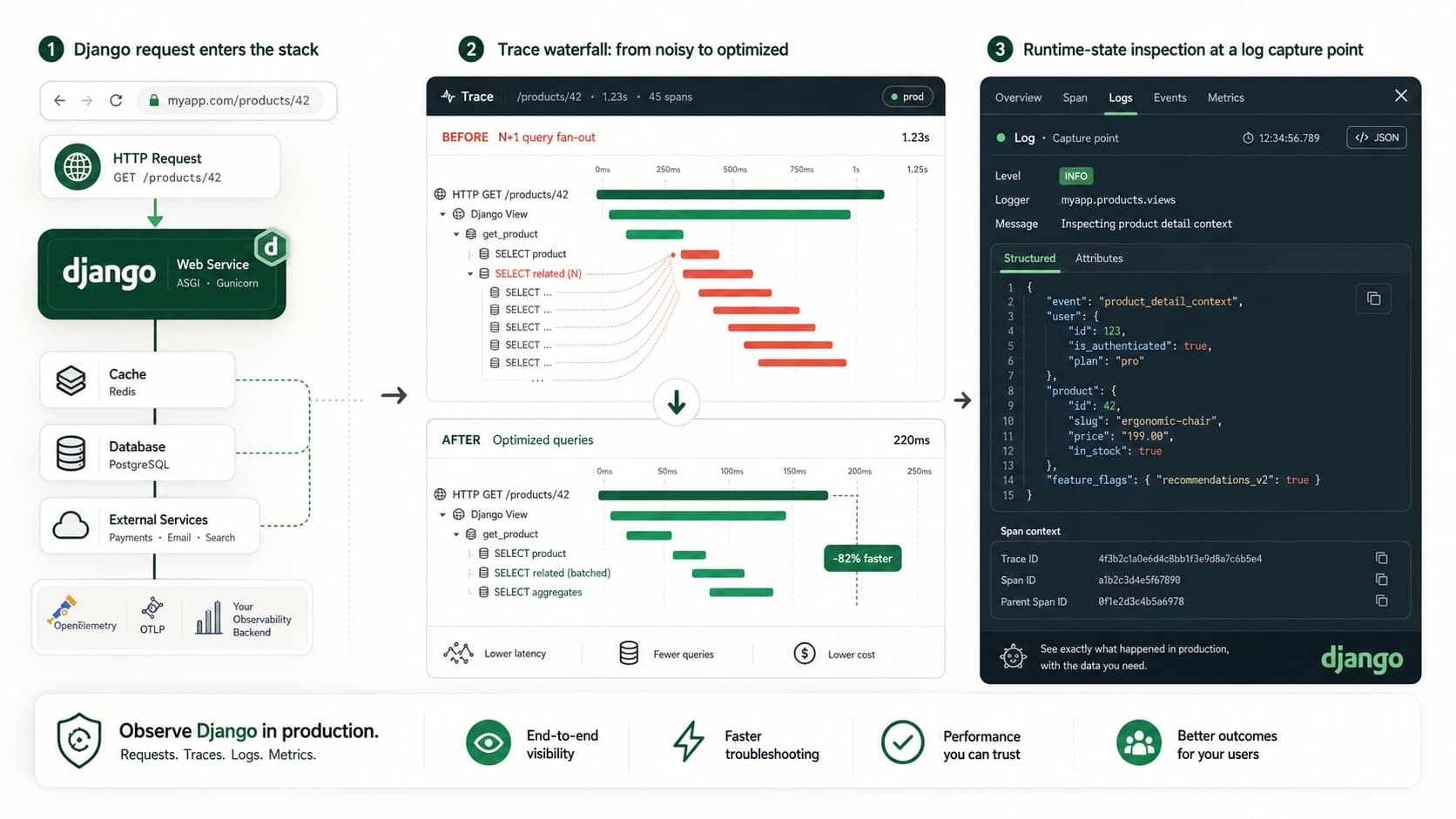
Django Observability Checklist for Production
Build Django observability with traces, query visibility, alerts, and dynamic logs so you can debug production issues without guessing.

Debug Django Apps in Production Without Redeploying
Debug Django apps in production without DEBUG=True or redeploying. Use dynamic logs, flame graphs, and distributed tracing to fix issues in real time.