
Inspect production without redeploying
Turn on dynamic log points when you need context. Capture variable state, stack traces, and execution context from live traffic without adding permanent log statements.
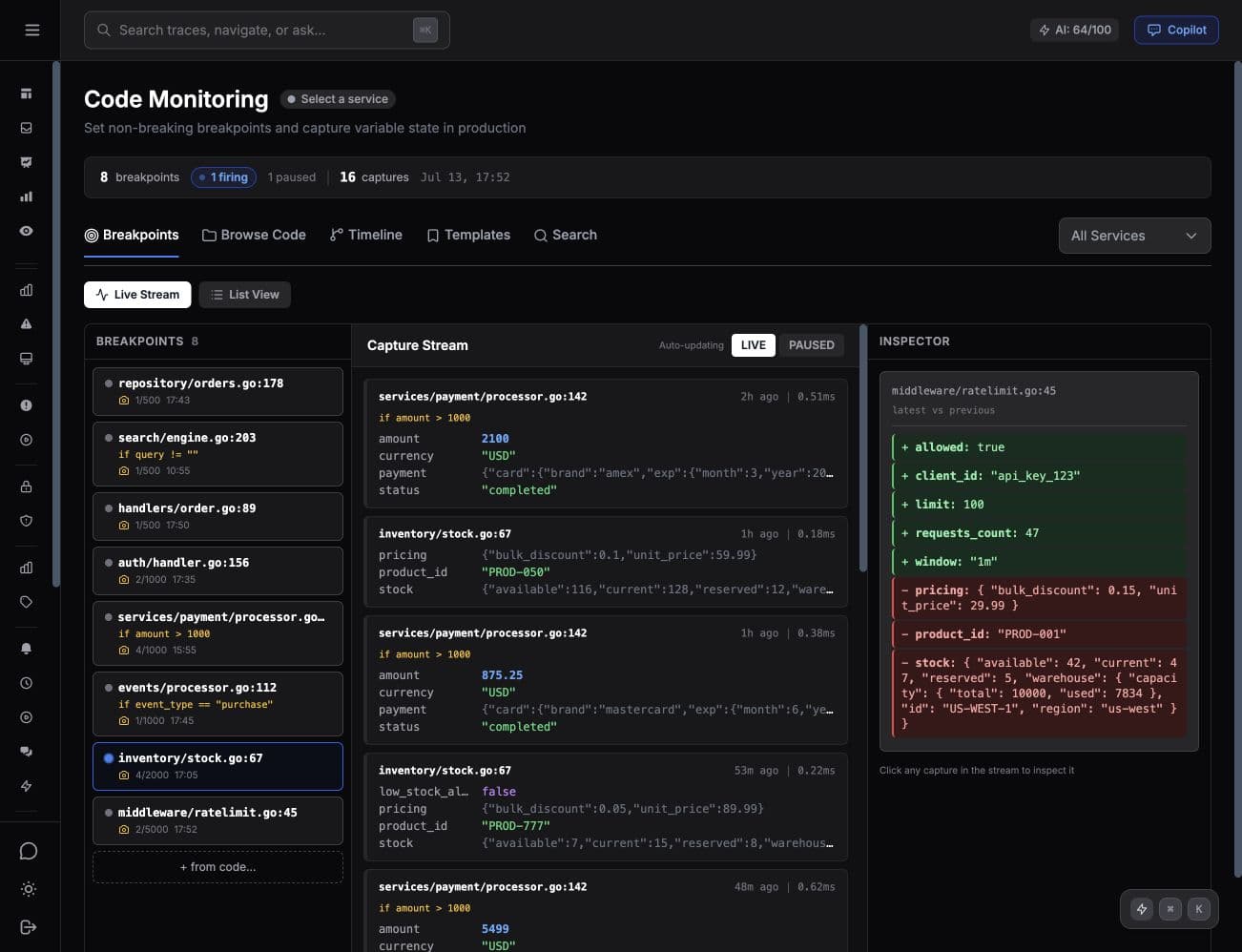
Why dynamic logs change the debugging loop
Traditional debugging often means reproduce, add logs, deploy, wait, and repeat. Dynamic logs let you inspect the next matching request without another deployment.
No redeploy required
Add dynamic logs from the dashboard. They activate on the next matching request. No code changes, no restarts, no CI/CD pipeline.
Non-breaking by design
Dynamic logs capture data asynchronously without pausing execution. Limits, conditions, and kill switches keep captures bounded.
Full variable capture
See local variables, function arguments, and object state at the exact line you care about. No more guessing from log output.
Conditional log points
Trigger only when conditions match. Capture data for specific user IDs, error codes, request parameters, or service paths.
Trace-linked captures
Every dynamic log capture is linked to its distributed trace. Jump from a slow span directly to the variable state at that moment.
Compare captures
Compare two dynamic log captures side-by-side to see what changed between a working request and a broken one.
How it works
Pick a file and line
Browse discovered code in the dashboard and choose where runtime context would help.
Traffic fires the log point
The SDK captures variable state, stack trace, and trace context on the next matching request.
Inspect the capture
View captured data in the dashboard. Expand objects, compare captures, and jump to the linked trace.
Tracekit vs the alternatives
Stop adding log statements to debug production
Enable a dynamic log point, capture the next useful request, fix the bug, then turn it off.