
Go Observability: Complete Guide for Production Applications
Go observability for production: OpenTelemetry setup for Gin, Echo, gRPC, and GORM. Distributed tracing, metrics, and monitoring for Go services.
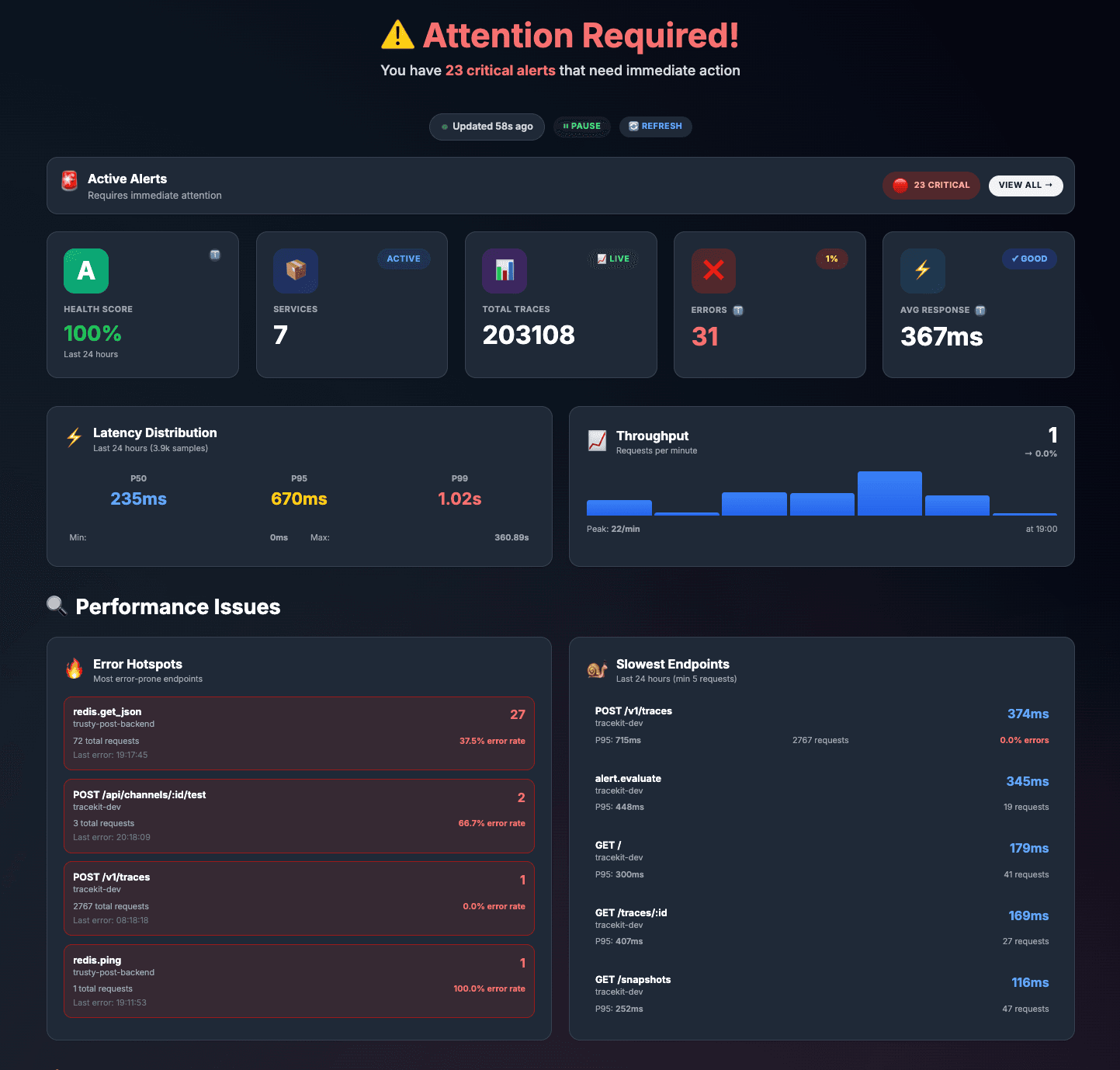
Go observability is essential for building reliable production applications. Whether you're building REST APIs with Gin, microservices with gRPC, or data-intensive applications with GORM and Redis, understanding how to monitor, trace, and debug Go applications in production is crucial. This comprehensive guide shows you how to implement observability in Go applications using the TraceKit SDK -replacing 80+ lines of OpenTelemetry boilerplate with just 3 lines of code while getting distributed tracing, code monitoring, and automatic instrumentation for all major frameworks.
Table of Contents
Why Go Needs Observability
Go applications are often:
-
Concurrent by design - Goroutines make it hard to trace request flows
-
Microservices-based - Requests span multiple services
-
High-performance - Need to identify bottlenecks without impacting performance
-
Network-intensive - HTTP, gRPC, database, and Redis calls
-
Production-critical - Often powering APIs and backend services
Without observability, debugging production Go applications becomes nearly impossible. You need to see:
-
How requests flow through goroutines
-
Which database queries are slow
-
How gRPC calls perform
-
Where errors originate in concurrent code
-
What triggers performance issues
Unique Challenges in Go
1. Goroutine Context Propagation
Go's goroutines make it challenging to maintain context across concurrent operations. You need proper context propagation to trace requests through goroutines.
2. Manual OpenTelemetry Complexity
Setting up OpenTelemetry manually in Go requires:
-
80+ lines of boilerplate code
-
Manual tracer initialization
-
Custom span creation
-
Context propagation handling
-
Exporter configuration
3. Framework Instrumentation
Each framework (Gin, Echo, etc.) requires different middleware setup. Database drivers need separate instrumentation.
4. Production Debugging
Debugging production Go applications is difficult without proper observability. You need to see what's happening in real-time.
SDK vs Manual OpenTelemetry
The TraceKit Go SDK simplifies observability dramatically:
| Aspect | Manual OpenTelemetry | TraceKit SDK |
|---|---|---|
| Setup Lines | 80+ lines | 3 lines |
| Framework Support | Manual middleware for each | One-line wrappers |
| Database Instrumentation | Separate library per driver | One-line wrappers |
| Code Monitoring | Not included | Built-in |
| Maintenance | High (update each component) | Low (SDK handles updates) |
Quick Start: 3-Line Setup
Get started with Go observability in just 3 lines:
Step 1: Install SDK
go get github.com/Tracekit-Dev/go-sdk
Step 2: Initialize SDK
package main

import (
    "context"
    "os"

    "github.com/Tracekit-Dev/go-sdk/tracekit"
)

func main() {
    // Initialize TraceKit SDK - that's it!
    sdk, err := tracekit.NewSDK(&tracekit.Config{
        APIKey:               os.Getenv("TRACEKIT_API_KEY"),
        ServiceName:          "my-service",
        EnableCodeMonitoring: true,  // Optional: Enable live code debugging
    })
    if err != nil {
        log.Fatal(err)
    }
    defer sdk.Shutdown(context.Background())

    // Your application code...
}
That's it! Your Go application is now instrumented for observability. The SDK automatically handles:
-
OpenTelemetry initialization
-
Tracer setup
-
Context propagation
-
Exporter configuration
Framework Integration
Add observability to your HTTP framework with one line:
Gin Framework
package main

import (
    "github.com/gin-gonic/gin"
    "github.com/Tracekit-Dev/go-sdk/tracekit"
)

func main() {
    sdk, _ := tracekit.NewSDK(&tracekit.Config{
        APIKey:      os.Getenv("TRACEKIT_API_KEY"),
        ServiceName: "my-api",
    })
    defer sdk.Shutdown(context.Background())

    r := gin.Default()
    r.Use(sdk.GinMiddleware()) // ← All routes automatically traced!

    r.GET("/api/users", getUsers)
    r.POST("/api/users", createUser)

    r.Run(":8080")
}

func getUsers(c *gin.Context) {
    // This endpoint is automatically traced!
    c.JSON(200, gin.H{"users": []string{"alice", "bob"}})
}
Echo Framework
package main

import (
    "github.com/labstack/echo/v4"
    "github.com/Tracekit-Dev/go-sdk/tracekit"
)

func main() {
    sdk, _ := tracekit.NewSDK(&tracekit.Config{
        APIKey:      os.Getenv("TRACEKIT_API_KEY"),
        ServiceName: "my-api",
    })
    defer sdk.Shutdown(context.Background())

    e := echo.New()
    e.Use(sdk.EchoMiddleware()) // ← All routes automatically traced!

    e.GET("/api/users", getUsers)
    e.Start(":8080")
}
net/http (Standard Library)
package main

import (
    "net/http"
    "github.com/Tracekit-Dev/go-sdk/tracekit"
)

func main() {
    sdk, _ := tracekit.NewSDK(&tracekit.Config{
        APIKey:      os.Getenv("TRACEKIT_API_KEY"),
        ServiceName: "my-api",
    })
    defer sdk.Shutdown(context.Background())

    mux := http.NewServeMux()
    mux.Handle("/", sdk.HTTPHandler(handler, "root")) // ← Automatically traced!

    http.ListenAndServe(":8080", mux)
}
Database Instrumentation
Instrument databases with one-line wrappers:
GORM (ORM)
import (
    "gorm.io/driver/postgres"
    "gorm.io/gorm"
    "github.com/Tracekit-Dev/go-sdk/tracekit"
)

func main() {
    sdk, _ := tracekit.NewSDK(&tracekit.Config{
        APIKey:      os.Getenv("TRACEKIT_API_KEY"),
        ServiceName: "my-api",
    })

    // Connect to database
    db, err := gorm.Open(postgres.Open(dsn), &gorm.Config{})
    if err != nil {
        log.Fatal(err)
    }

    // Instrument GORM - all queries automatically traced!
    sdk.TraceGormDB(db)

    // Use database - queries are automatically traced
    var users []User
    db.Find(&users) // ← Traced!

    db.Create(&User{Name: "John"}) // ← Traced!
}
database/sql (PostgreSQL, MySQL, SQLite)
import (
    "database/sql"
    _ "github.com/lib/pq" // PostgreSQL driver
    "github.com/Tracekit-Dev/go-sdk/tracekit"
)

func main() {
    sdk, _ := tracekit.NewSDK(&tracekit.Config{
        APIKey:      os.Getenv("TRACEKIT_API_KEY"),
        ServiceName: "my-api",
    })

    // Open database connection
    sqlDB, err := sql.Open("postgres", dsn)
    if err != nil {
        log.Fatal(err)
    }

    // Wrap database - all queries automatically traced!
    db := sdk.WrapDB(sqlDB, "postgresql")

    // Use database - queries are automatically traced
    rows, err := db.QueryContext(ctx, "SELECT * FROM users") // ← Traced!
}
Redis
import (
    "github.com/redis/go-redis/v9"
    "github.com/Tracekit-Dev/go-sdk/tracekit"
)

func main() {
    sdk, _ := tracekit.NewSDK(&tracekit.Config{
        APIKey:      os.Getenv("TRACEKIT_API_KEY"),
        ServiceName: "my-api",
    })

    // Create Redis client
    client := redis.NewClient(&redis.Options{
        Addr: "localhost:6379",
    })

    // Wrap Redis - all operations automatically traced!
    sdk.WrapRedis(client)

    // Use Redis - operations are automatically traced
    val, err := client.Get(ctx, "key").Result() // ← Traced!
    client.Set(ctx, "key", "value", 0) // ← Traced!
}
MongoDB
import (
    "go.mongodb.org/mongo-driver/mongo"
    "go.mongodb.org/mongo-driver/mongo/options"
    "github.com/Tracekit-Dev/go-sdk/tracekit"
)

func main() {
    sdk, _ := tracekit.NewSDK(&tracekit.Config{
        APIKey:      os.Getenv("TRACEKIT_API_KEY"),
        ServiceName: "my-api",
    })

    // Create MongoDB client with tracing
    opts := sdk.MongoClientOptions().ApplyURI("mongodb://localhost:27017")
    client, err := mongo.Connect(ctx, opts) // ← All queries automatically traced!

    // Use MongoDB - queries are automatically traced
    collection := client.Database("mydb").Collection("users")
    collection.FindOne(ctx, bson.M{"name": "John"}) // ← Traced!
}
HTTP Client
import (
    "net/http"
    "time"
    "github.com/Tracekit-Dev/go-sdk/tracekit"
)

func main() {
    sdk, _ := tracekit.NewSDK(&tracekit.Config{
        APIKey:      os.Getenv("TRACEKIT_API_KEY"),
        ServiceName: "my-api",
    })

    // Create HTTP client with tracing
    client := sdk.HTTPClient(&http.Client{
        Timeout: 10 * time.Second,
    })

    // Use HTTP client - requests are automatically traced!
    resp, err := client.Get("https://api.example.com/data") // ← Traced!
}
gRPC
import (
    "google.golang.org/grpc"
    "github.com/Tracekit-Dev/go-sdk/tracekit"
)

// Server
func main() {
    sdk, _ := tracekit.NewSDK(&tracekit.Config{
        APIKey:      os.Getenv("TRACEKIT_API_KEY"),
        ServiceName: "my-grpc-server",
    })

    // Create gRPC server with tracing interceptors
    server := grpc.NewServer(sdk.GRPCServerInterceptors()...)

    // Register services...
    server.Serve(lis)
}

// Client
func callGRPC() {
    sdk, _ := tracekit.NewSDK(&tracekit.Config{
        APIKey:      os.Getenv("TRACEKIT_API_KEY"),
        ServiceName: "my-grpc-client",
    })

    // Create gRPC connection with tracing interceptors
    conn, err := grpc.Dial(addr, sdk.GRPCClientInterceptors()...)

    // Use connection - calls are automatically traced!
    client := pb.NewMyServiceClient(conn)
    resp, err := client.MyMethod(ctx, &pb.Request{}) // ← Traced!
}
Code Monitoring in Go
The TraceKit SDK includes built-in code monitoring. Enable it when initializing the SDK:
sdk, err := tracekit.NewSDK(&tracekit.Config{
    APIKey:               os.Getenv("TRACEKIT_API_KEY"),
    ServiceName:          "my-service",
    EnableCodeMonitoring: true,  // Enable code monitoring
})
Then use automatic log point registration:
func processOrder(ctx context.Context, orderID string) error {
    // Automatic breakpoint registration
    // SDK detects file path and line number automatically
    sdk.CheckAndCaptureWithContext(ctx, "process-order", map[string]interface{}{
        "orderID": orderID,
        "step":    "starting",
    })

    // Your business logic
    order, err := fetchOrder(orderID)
    if err != nil {
        // Capture error state
        sdk.CheckAndCaptureWithContext(ctx, "fetch-order-error", map[string]interface{}{
            "orderID": orderID,
            "error":   err.Error(),
        })
        return err
    }

    // Process payment
    payment, err := chargePayment(order)
    if err != nil {
        sdk.CheckAndCaptureWithContext(ctx, "payment-failed", map[string]interface{}{
            "orderID": orderID,
            "error":   err.Error(),
        })
        return err
    }

    return nil
}
When code executes, snapshots are automatically captured with variable values, stack traces, and request context. View them in the TraceKit UI without stopping your application.
Complete Example
Here's a complete working Go application with Gin, Redis, and GORM:
package main

import (
    "context"
    "os"

    "github.com/gin-gonic/gin"
    "github.com/redis/go-redis/v9"
    "gorm.io/driver/postgres"
    "gorm.io/gorm"
    "github.com/Tracekit-Dev/go-sdk/tracekit"
)

func main() {
    // 1. Initialize SDK
    sdk, err := tracekit.NewSDK(&tracekit.Config{
        APIKey:               os.Getenv("TRACEKIT_API_KEY"),
        ServiceName:          "my-api",
        EnableCodeMonitoring: true,
    })
    if err != nil {
        log.Fatal(err)
    }
    defer sdk.Shutdown(context.Background())

    // 2. Setup database with tracing
    db, err := gorm.Open(postgres.Open(os.Getenv("DATABASE_URL")), &gorm.Config{})
    if err != nil {
        log.Fatal(err)
    }
    sdk.TraceGormDB(db) // All queries traced!

    // 3. Setup Redis with tracing
    redisClient := redis.NewClient(&redis.Options{
        Addr: os.Getenv("REDIS_ADDR"),
    })
    sdk.WrapRedis(redisClient) // All operations traced!

    // 4. Setup HTTP server with tracing
    r := gin.Default()
    r.Use(sdk.GinMiddleware()) // All routes traced!

    r.GET("/api/users", func(c *gin.Context) {
        // Check cache first
        cached, err := redisClient.Get(c, "users").Result()
        if err == nil {
            c.JSON(200, gin.H{"data": cached, "source": "cache"})
            return
        }

        // Fetch from database
        var users []User
        db.Find(&users)

        // Cache result
        redisClient.Set(c, "users", users, 3600)

        c.JSON(200, gin.H{"data": users, "source": "database"})
    })

    r.Run(":8080")
}
✅ That's it! With less than 50 lines of code, you have:
-
Complete distributed tracing
-
All HTTP endpoints traced
-
All database queries traced
-
All Redis operations traced
-
Code monitoring enabled
-
Full context propagation
Production Configuration
Environment Variables
# .env
TRACEKIT_API_KEY=your_api_key_here
SERVICE_NAME=my-production-service
SERVICE_VERSION=1.2.3
DEPLOYMENT_ENVIRONMENT=production
Production Best Practices
-
Use HTTPS - Always use TLS in production
-
Store API keys securely - Use secrets managers (AWS Secrets Manager, HashiCorp Vault)
-
Set service metadata - Include version, environment, region
-
Configure sampling - For high-traffic services, sample traces
-
Monitor overhead - SDK has < 1ms overhead, but monitor in production
Sampling Configuration
sdk, err := tracekit.NewSDK(&tracekit.Config{
    APIKey:      os.Getenv("TRACEKIT_API_KEY"),
    ServiceName: "high-traffic-service",
    SamplingRate: 0.1, // Sample 10% of traces
})
Best Practices
1. Initialize SDK Early
Initialize the SDK as early as possible in your main() function, before any other initialization:
func main() {
    // Initialize SDK FIRST
    sdk, _ := tracekit.NewSDK(...)
    defer sdk.Shutdown(context.Background())

    // Then initialize other components
    db := setupDatabase()
    redis := setupRedis()
    // ...
}
2. Use Context Propagation
Always pass context through your function calls to maintain trace continuity:
func handler(c *gin.Context) {
    ctx := c.Request.Context() // Get context from request

    // Pass context to all downstream calls
    users := fetchUsers(ctx)
    processUsers(ctx, users)
}

func fetchUsers(ctx context.Context) []User {
    // Context maintains trace continuity
    db.WithContext(ctx).Find(&users)
    return users
}
3. Add Custom Spans for Business Logic
For important business operations, add custom spans:
func processOrder(ctx context.Context, orderID string) error {
    // Create custom span
    ctx, span := sdk.Tracer().Start(ctx, "processOrder")
    defer span.End()

    span.SetAttributes(
        attribute.String("order.id", orderID),
    )

    // Your business logic
    if err := validateOrder(ctx, orderID); err != nil {
        span.RecordError(err)
        return err
    }

    return nil
}
4. Use Code Monitoring for Production Debugging
Enable code monitoring to debug production issues without redeploying:
sdk.CheckAndCaptureWithContext(ctx, "payment-processing", map[string]interface{}{
    "orderID": orderID,
    "amount":  amount,
})
Frequently Asked Questions (FAQ)
What is Go observability?
Go observability is the practice of monitoring, tracing, and understanding Go applications in production through distributed tracing, code monitoring, and metrics. It helps developers debug concurrent code, track request flows through goroutines, identify performance bottlenecks in microservices, and detect errors before users report them.
How do I add observability to a Go application?
To add observability to a Go application, install the TraceKit Go SDK with go get github.com/Tracekit-Dev/go-sdk, initialize it in your main() function with 3 lines of code, add framework middleware (e.g., sdk.GinMiddleware() for Gin), and wrap your databases/clients (e.g., sdk.TraceGormDB(db) for GORM). The SDK handles all OpenTelemetry setup automatically.
What's the difference between the TraceKit SDK and manual OpenTelemetry?
The TraceKit SDK replaces 80+ lines of OpenTelemetry boilerplate with 3 lines of code, provides one-line wrappers for all major frameworks and databases, includes built-in code monitoring for production debugging, and handles all OpenTelemetry complexity automatically. Manual OpenTelemetry requires you to write all the boilerplate, configure exporters, handle context propagation, and set up instrumentation for each component separately.
Does observability slow down Go applications?
No, the TraceKit SDK has minimal performance overhead -less than 1ms per request. The SDK uses efficient context propagation, batch exports, and optional sampling to minimize impact. The benefits of faster debugging and proactive issue detection far outweigh the minimal overhead. You can configure sampling rates for high-traffic services.
What frameworks and databases are supported?
The TraceKit Go SDK supports Gin, Echo, and net/http for HTTP frameworks; GORM and database/sql for databases; Redis, MongoDB for data stores; gRPC for microservices; and HTTP clients for external API calls. All require just one-line wrappers to enable automatic tracing.
Can I use code monitoring in production?
Yes, code monitoring is designed for production use. It has less than 5ms overhead per checkpoint, uses dynamic logs (log points) that don't stop execution, and allows you to debug production issues without redeploying. You can enable/disable log points without code changes or redeployments.
Next Steps
Ready to add observability to your Go application?
-
Install the TraceKit SDK -
go get github.com/Tracekit-Dev/go-sdk -
Initialize in 3 lines - See Quick Start section above
-
Add framework middleware - One line per framework
-
Wrap databases/clients - One line per data store
-
Enable code monitoring - Set
EnableCodeMonitoring: true -
Try TraceKit - Free trial with Go SDK support
Go observability transforms production debugging from days of guesswork to minutes of certainty. Start monitoring your Go applications today.
Questions about Go observability? Start a free trial and see Go traces in action. Check our Go documentation for detailed examples and advanced configuration.
Related Posts

Debugging Gin Apps: Tracing and Performance Tips
Debug Gin framework apps in production with OpenTelemetry tracing, pprof profiling, GORM query optimization, and structured logging for Go services.
Zero-Cost Production Visibility: APM Without the Datadog Bill
Get production visibility without the Datadog bill. Free-tier APM setup with OpenTelemetry for freelancers and small teams who need traces, not invoices.
DD_TRACE_SAMPLE_RATE in Node.js: A Practical Guide
Set DD_TRACE_SAMPLE_RATE in Node.js, understand rate limits and sampling rules, and verify which distributed traces reach Datadog.